Less back-and-forth.
More time for baking.
CakeQ gives your business a link to share with your customers. When they open it, your CakeQ assistant takes the order: it asks the right questions, gathers the details and the reference photo, and sends you a complete request, ready to quote.
Free while we start. No card required.
Your customers just tap a linkChats in English and SpanishYou set every price
See CakeQ in action.
From a customer's message to your complete request.
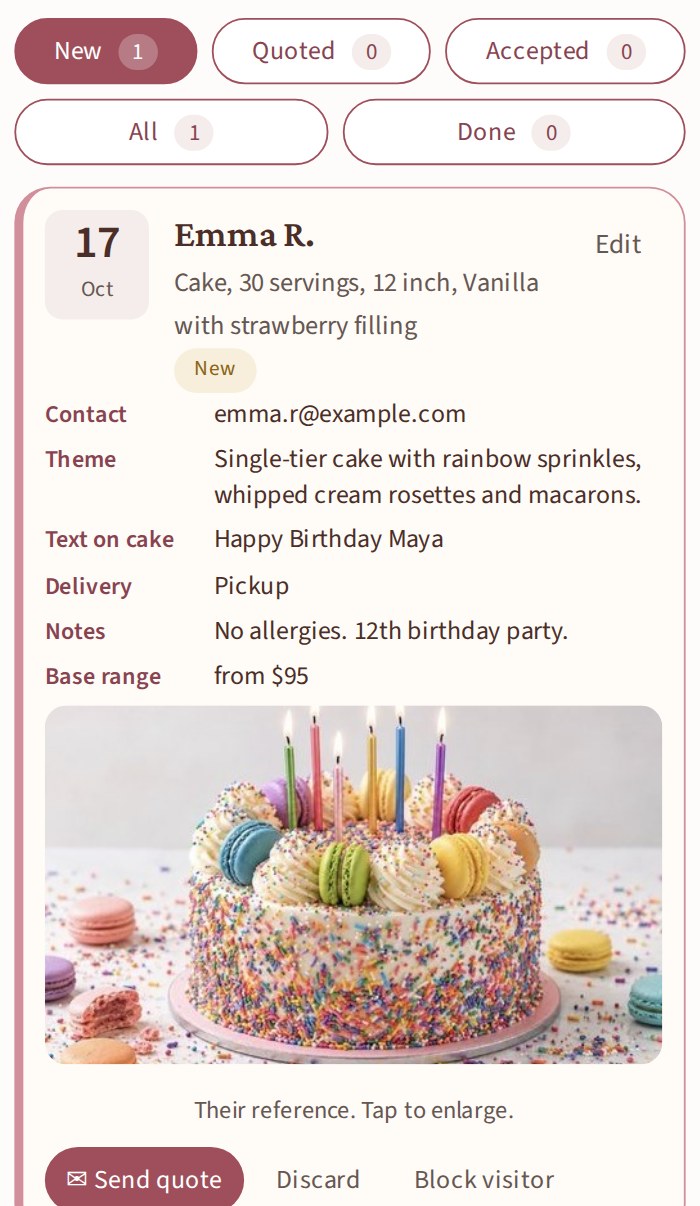
You get the details.
How CakeQ works
Get your CakeQ link
CakeQ gives your business a link to share with your customers on Instagram, Facebook, WhatsApp, or anywhere you take orders.
Your assistant takes the request
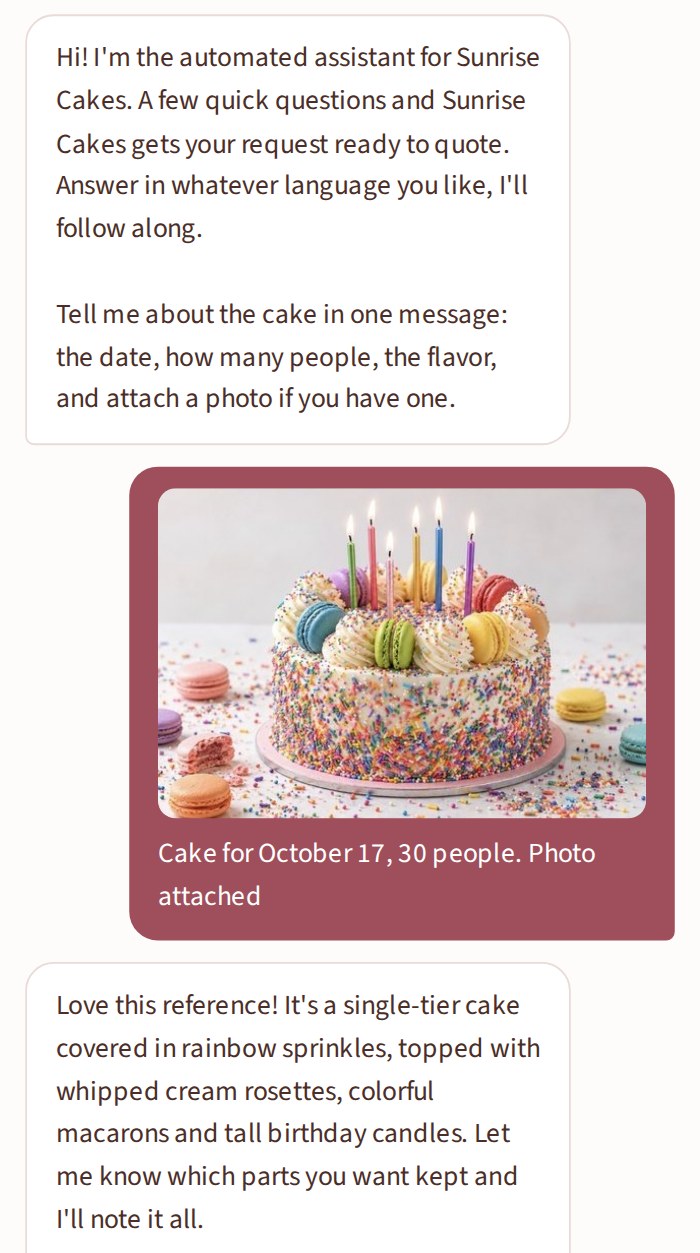
Your customer opens the link and talks with your CakeQ assistant. It asks the right questions and gathers the order details and reference photo, no account or app required.
Receive it ready to quote
Your assistant organizes everything into a complete cake request and sends it to you, ready to review, price, and quote.
A complete flow, in one place.
Built for bakers like you.
Understands photos
Customers upload a reference photo. Your assistant describes it and asks what to keep.
Knows your calendar
It knows your work days and when you're full. It never offers a day you closed, and it asks for another date.
English and Spanish
Your assistant chats with your customers in English or Spanish, whichever they write in, and the request arrives in your language.
Your business, your rules
You set the price, confirm the date and get paid your way. Never gives a price or confirms a date, and never handles money.
Questions bakers ask
What is CakeQ?
CakeQ is an AI order assistant for home bakers and custom cake shops. You share one link, in your Instagram bio, on Facebook or in a message, and it chats with your customer to collect the date, servings, size, flavor, design and a reference photo, then hands you a complete cake request ready to quote. Think of it as a custom cake order form that talks.
How do I take custom cake orders without so many messages?
Send your CakeQ link instead of asking each question by hand. It asks what you would ask, follows up on what is missing, and you get one tidy request instead of a long chat thread.
Can I take cake orders from Instagram or Facebook?
Yes. Put your link in your Instagram bio or your Facebook page button, or send it when a customer writes to you. Customers open it in their browser, with no account and no app.
Do my customers need an account or an app?
No. They open your link in their browser, chat, and that is it. No sign-up, no download.
Does it give prices or confirm dates?
No. It can mention the base price you listed for a size as a starting point, always adding that you confirm the final price, and it never confirms a date. The request is yours to accept.
What does it cost?
It is free while we are in our first months. Paid plans will come later, with a free first month, and you will hear about it well before anything changes.
What happens with my customers' information and photos?
Their name and contact go only to you, to quote them; CakeQ never shares or sells them. Photos stay with the request and are deleted after the order is done or discarded. The full privacy note is linked below.
Who is behind CakeQ?
A small team in Chicago that grew up around home bakeries. Write to us any time at cakeqsupport@gmail.com.
make life sweeter
More time for what you love.
Create your accountFree while we start. No card required.
Already have a link? Sign in to your workspace.